Why backdrop-filter Breaks After a Lightning CSS Build
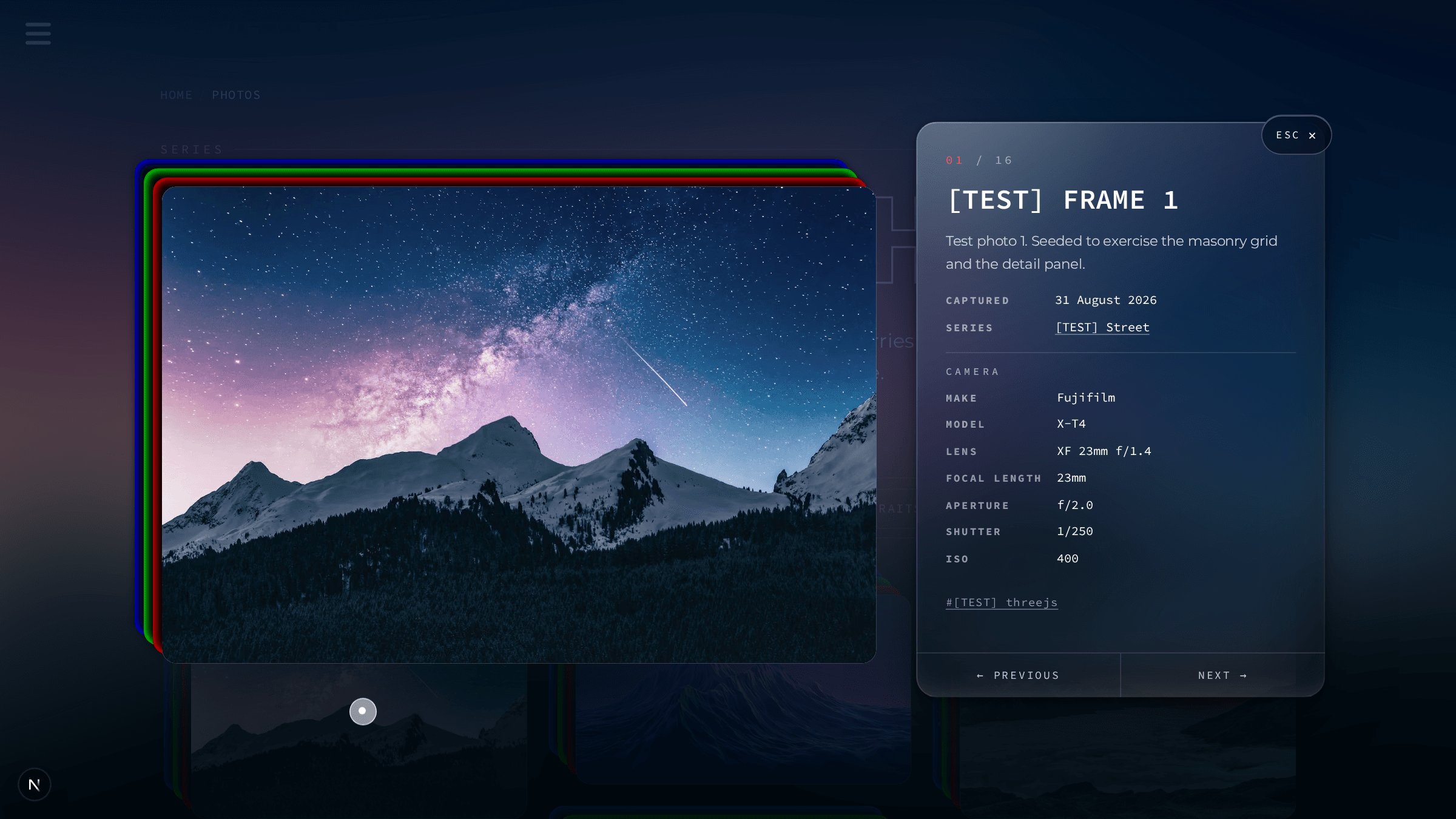
Lightning CSS merges duplicate backdrop-filter declarations and keeps the wrong one, deleting a glass effect and the containing block it quietly provided.
TL;DR: Lightning CSS, Next.js 16's default minifier, merges backdrop-filter and -webkit-backdrop-filter into one rule and keeps whichever comes last. This kept the -webkit- form, and Chromium 151 dropped support for it, so the blur computed to none. Losing backdrop-filter also cost the element its containing block, shifting a sidebar layout. The fix: a second stylesheet, standard property only, loaded after the duplicate.
What causes backdrop-filter to disappear after a Lightning CSS build?
Next.js 16 minifies CSS with Lightning CSS, and Lightning CSS treats backdrop-filter and -webkit-backdrop-filter as the same logical property. When both appear on one selector it merges them into a single declaration and keeps whichever came last in source order, dropping the other entirely rather than keeping both.
I found this in globals.css, the file this project treats as the owner's design source and never edits directly (more on that constraint below). It declares backdrop-filter twice on .sideBar, standard form first:
backdrop-filter: blur( 5px );
-webkit-backdrop-filter: blur( 5px );
Lightning CSS kept the second declaration and threw away the first, so the built stylesheet shipped only -webkit-backdrop-filter: blur(5px) for that selector. For years that was harmless: Safari needed the prefix, and every Chromium build understood both forms, so the surviving prefixed rule still did the work. It stopped being harmless the day I tested the production build against Chromium 151, which no longer supports the -webkit-backdrop-filter alias. The one declaration that survived minification computed to none, and the panel's blur was gone.
Why doesn't a browserslist target fix it?
A browserslist entry looks like the right lever, since Lightning CSS reads exactly that data to decide which prefixes to add or strip during autoprefixing. I tried it two ways: as the browserslist field in package.json, and as a standalone .browserslistrc. Neither changed which declaration survived here, because this isn't autoprefixing. Lightning CSS wasn't deciding whether to add a prefix; it was deduplicating two declarations it considers equivalent, and browser target data plays no part in choosing which one it keeps.
The second surprise was that the visible symptom wasn't the missing blur at all, it was a layout shift on the other side of the sidebar. backdrop-filter, along with filter, transform, and a handful of others, puts an element on the list of properties that establish a containing block for its absolutely positioned descendants (MDN: containing block). .sideBar's child .bottomDiv is position: absolute; left: 0; right: 0, and it had been resolving that position against .sideBar as its containing block: 352px wide, starting at x24. The moment .sideBar lost backdrop-filter, .bottomDiv skipped past it to the next positioned ancestor, .sideBarContainer, which is 400px wide and starts at x0. The social icons spread apart and dropped down the sidebar. I spent longer chasing that as a flexbox or spacing regression than I spent finding the actual cause, because "icons moved" gives you no reason to suspect a blur filter three components removed.
What I actually shipped
globals.css is out of scope for a direct edit (ADR-009 in this repo's architecture notes: it's the owner's design file). Deleting the duplicate declaration at the source, which is the correct long-term fix, wasn't available to me, so the fix is additive instead: a new file, src/styles/compat.css, imported after globals.css, that restates backdrop-filter for the same selectors in its standard form only:
.sideBar {
  backdrop-filter: blur(5px);
}

.Section-5 .contactFormContainer {
  backdrop-filter: blur(8px);
}

@media (max-width: 991px) {
  .sideBar {
    backdrop-filter: blur(5px);
  }
}
With no -webkit- declaration in this file for Lightning CSS to merge against, the standard property has nothing to collide with and survives the build untouched. Loading it after globals.css matters: CSS module bundling here resolves ties by source position, and a later rule wins over an earlier one of equal specificity, so compat.css's declarations are the ones the browser applies.
I also stopped writing the -webkit- alias anywhere new, rather than reintroduce the same trap. PhotoLightbox.module.css's glass panel declares backdrop-filter once:
backdrop-filter: blur(30px) saturate(185%) brightness(1.08);with a comment above it explaining why, so the next person editing that file doesn't "helpfully" add the prefix back.
Did the fix actually work?
Restoring the standard-only declaration fixed both symptoms in the same change. The blur returned in Chromium 151, confirmed against the computed style in DevTools rather than by eye, since a partially-applied filter can look plausible at a glance. .bottomDiv went back to resolving against .sideBar, and the 48px horizontal gap the wrong containing block had introduced (400px minus 352px) closed. Rather than chase a matching known upstream report in this project, I confirmed the class of bug independently: Lightning CSS's own issue tracker has an open report of the same merge misbehaving in the other direction, dropping the prefixed form when it's actually needed for Safari (lightningcss#537). Which declaration survives depends on source order and the tool's internal precedence rules, not on anything you configure, which is exactly what made this one hard to predict from the outside.
Where does this fix not apply?
Dropping the -webkit- prefix entirely is a real tradeoff, not a clean win. Safari's unprefixed support for backdrop-filter only reached Baseline status in September 2024, and older Safari releases still read the -webkit- form. compat.css no longer serves them a blur; the panel underneath still has its own background color, so the loss is fidelity, not a broken layout. That was an acceptable tradeoff for this project's supported browser list, but it wouldn't be for a site with meaningful older-Safari traffic, where the actual fix has to be a @supports fallback or a build step that de-duplicates before minification runs, not a stylesheet that picks one side and drops the other.